Cosmic Guardian Strategy
Reviews
Cosmic Guardian Strategy offers a fresh take on the defense genre by using asteroid guidance instead of traditional weapons. The controls are intuitive, making it easy to pick up, but the increasing difficulty provides a satisfying challenge. The game runs smoothly on any device, and being free with no downloads is a big plus. It's a great choice for quick gaming sessions or longer play.
Description
Game Introduction
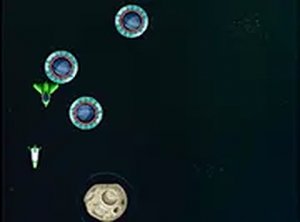
Cosmic Guardian Strategy is a browser-based game that puts you in charge of protecting planets across the solar system. Alien spacecraft are approaching, and your task is to use a special asteroid guidance system to intercept them before they can reach their targets. The game blends strategic planning with quick reactions, as each wave of incoming threats requires careful aim and timing. Designed to run smoothly on any modern browser, it works equally well on desktop computers and mobile devices without any downloads or installations. The experience is completely free, with no hidden costs or subscriptions. As you progress, the challenges become more complex, keeping the gameplay fresh and engaging. A full-screen mode is available for those who want a more immersive view. Whether you have a few minutes during a break or a longer period to play, Cosmic Guardian Strategy offers a satisfying mix of classic arcade action and thoughtful strategy. It is suitable for players of all ages who enjoy fast-paced decision-making and improving their coordination.
How to Play
Players typically use a mouse on desktop or touch input on mobile devices to aim and direct asteroids toward approaching alien ships. The main goal is to intercept the aliens before they can reach any planet. Early rounds are simpler, allowing newcomers to learn the controls and timing. As the game continues, the difficulty gradually increases, requiring faster and more precise actions. The controls are designed to be intuitive, so most players can start without any instructions. On mobile, a simple touch and release motion controls the aiming and firing. The game keeps track of your progress, encouraging you to improve with each session. No lengthy tutorials are needed; you can jump straight into the action and learn as you go.
Game Features
Cosmic Guardian Strategy includes several features that make it accessible and enjoyable. It is free to play with no hidden fees. The game is optimized for mobile browsers and works on all modern browsers. A full-screen mode provides a more engaging visual experience. No downloads are required, so you can start playing instantly from any device. The controls are simple and easy to learn. Progress tracking allows you to see how your performance improves over time. Endless waves of challenges ensure that the game remains interesting for both short sessions and longer play periods.
Tips for Success
To do well in Cosmic Guardian Strategy, focus on practicing your aim and timing. The early waves are a good opportunity to get comfortable with the controls. As the difficulty increases, prioritize targets that are closest to the planets. Stay calm and make quick decisions. Regular practice will help you improve your reflexes and strategic thinking. Enjoy the game and try to beat your own best performance.








Comments
0 comments