About this game
Game Introduction
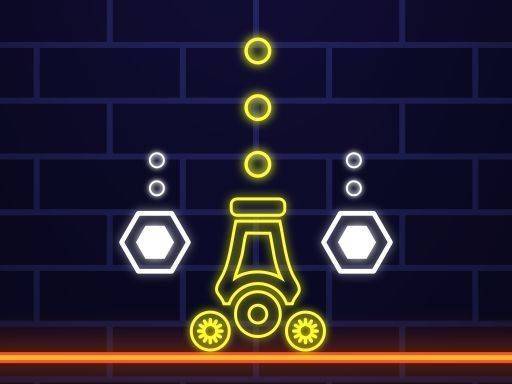
Neon War Arcade Shooter is a vibrant, fast-paced arcade game set in a neon-lit world. The core objective is to destroy all orbs that appear on the screen. Each orb displays a number indicating how many hits it requires to explode. The game starts simple and becomes more challenging as you progress, making it suitable for both quick sessions and longer play. With its colorful visuals and smooth controls, it is designed to be family-friendly and accessible to players of all ages. The neon aesthetic and straightforward goal create an engaging experience that is easy to pick up and enjoy.
How to Play
To play Neon War Arcade Shooter, you control a cannon by touching and dragging your finger or mouse to aim. Once you have aimed at an orb, release to fire. Each orb has a number that shows how many times it must be hit before it explodes. For example, an orb with a 3 must be hit three times. Your goal is to plan your shots to clear the screen efficiently. As you advance, more orbs appear and the numbers get higher, increasing the difficulty. There are no complex rules, so anyone can start playing immediately. Focus, aim, and enjoy the neon action.
Game Features
Colorful neon visuals create an engaging atmosphere that is visually appealing. Simple touch and mouse controls make the game easy to play on various devices. The increasing difficulty keeps the game challenging as you progress through levels. The game is family-friendly with no violent content, making it safe for all ages. Quick rounds allow for short play sessions during breaks or longer gaming sessions when you have more time. The straightforward mechanics ensure that players can jump in without a steep learning curve.
Tips for Success
To succeed in Neon War Arcade Shooter, practice aiming precisely to hit orbs efficiently. Plan your shots by prioritizing orbs with lower numbers first, as they require fewer hits to clear. As the screen fills with more orbs, try to group your shots to avoid missing. Stay calm and focused, as the increasing difficulty can be managed with steady aim. Regular practice will help you improve your reaction time and accuracy. Remember that each session is a chance to refine your strategy and enjoy the neon action.