Spot the Detail Challenge with Tom
Reviews
Spot the Detail Challenge with Tom delivers a straightforward observation puzzle: compare two images and click the differences. Its strengths are a clean interface, no ads, and a difficulty curve that starts obvious and becomes subtle. The star system adds replay value. Best for casual players and families who enjoy attention-to-detail challenges. The main limitation is that the core loop stays the same throughout, so it may not satisfy those seeking varied mechanics.
Description
Comparing Two Images
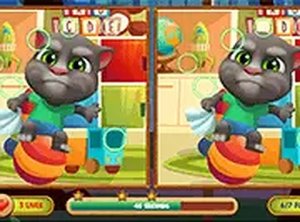
Spot the Detail Challenge with Tom presents two images side by side. They look identical at first, but one contains small changes: a flower shifts color, a cloud moves, or a hat vanishes. Your task is to click or tap each mismatch. Every level has a fixed number of differences to locate, and a visual cue confirms each correct find, so you always know how many remain.
Difficulty Progression
Early levels use obvious mismatches that stand out quickly, letting new players learn the rhythm. Later stages hide changes in shading, object size, or background elements that blend into the scene. The star rating system rewards thoroughness and encourages revisiting earlier levels to improve speed. Unlocking a new stage introduces a slightly different visual puzzle, which keeps the challenge fresh without becoming frustrating.
Art Style and Character
The illustrations center on a friendly character named Tom. His expressive face and colorful surroundings create a warm atmosphere. Scenes include a garden, a kitchen, or a playground, each packed with small details that reward careful looking. Bright, clear lines and soft colors make the game easy on the eyes during longer sessions. The art suits both children and adults, charming without being childish.
Playing in Your Browser
The game runs directly in a web browser on mobile phones and desktop computers. No installation or account creation is required. Progress is saved locally, so you can switch devices and continue where you left off. A full-screen mode removes distractions and enlarges the images, which helps when hunting for tiny mismatches. Touch controls on mobile respond accurately, and mouse clicks work just as well on a laptop.
Feedback and Atmosphere
Finding a difference triggers a brief animation and a pleasant sound. If time runs low, a subtle visual cue appears without causing alarm. The interface stays clean, showing only essential information. There are no intrusive ads or pop-ups during gameplay, preserving a calm, uninterrupted experience that respects your focus.










Editorial Notes