Style Circle Wardrobe Creator
Reviews
Style Circle Wardrobe Creator offers a straightforward creative outlet for fashion-minded players. The game's strength lies in its accessible browser format and intuitive flow, letting you move from character selection to makeup to wardrobe without friction. Makeup options include adjustable shades and intensities, while the wardrobe allows layering and pattern customization. Saving and sharing features add replay value. However, the lack of specified multiplayer or advanced progression might limit long-term engagement for some. It's best suited for casual players who enjoy quick, imaginative styling.
Description
Character Selection & Styling Flow
Players begin by choosing one of several characters to style. Each character acts as a blank canvas for experimentation. The interface is built for quick navigation, letting you move from character selection to makeup application to wardrobe choices without friction. This streamlined approach keeps the focus on creativity rather than complex menus.
Makeup Application & Color Matching
The makeup section offers lip colors, eye shadows, and cheek tints. You can adjust intensity and shade for each product, enabling subtle daytime looks or bold evening styles. A color palette helps coordinate makeup tones with planned clothing, encouraging thoughtful combinations and adding depth to the styling process.
Wardrobe Exploration & Mixing
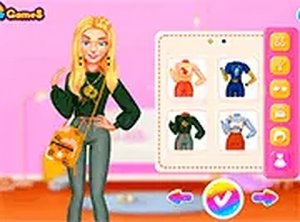
After makeup, you enter the wardrobe area, which includes categories like tops, bottoms, dresses, shoes, and accessories. Each category contains multiple items with distinct patterns and colors. You can layer pieces—for example, pairing a patterned top with solid pants—to create balanced outfits. Items can be swapped quickly for side-by-side comparison.
Pattern & Color Customization
Many clothing items come with adjustable patterns and colors. You can change the base hue, add stripes, polka dots, or floral motifs, and modify the trim. This feature lets you create one-of-a-kind ensembles that reflect personal taste. Experimenting with unexpected pattern combinations often leads to stylish results.
Saving & Sharing Creations
Once satisfied with a design, you can save it to your device or share it with friends. The save function captures the entire look, including makeup and outfit details. Sharing options make it easy to show off your work on social platforms or keep a personal gallery of favorite styles. This encourages revisiting and refining past creations.
Accessibility & Device Compatibility
The game runs entirely in a web browser, with no installation or downloads needed. It is optimized for both touch screens and mouse input, so you can play on a smartphone, tablet, or computer with equal ease. The responsive layout adjusts to different screen sizes, ensuring all buttons and menus remain accessible. This makes it convenient for quick creative sessions anywhere.
Compatibility
Faq
What platforms can I play Style Circle Wardrobe Creator on?
Can I save my outfits and makeup designs in Style Circle Wardrobe Creator?
How many characters can I style in Style Circle Wardrobe Creator?
Are there different makeup options available in Style Circle Wardrobe Creator?
Can I customize the patterns and colors of clothing items?
Is Style Circle Wardrobe Creator free to play?
More Like This

Style Studio: Fashion & Art Creator

Zigzag Road Driving Arcade
Men's Fashion Styling Game
Ellie and Friends Winter Fashion Stylist
Retro Emo Style Dress Up
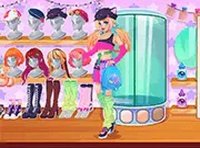
Fashion Dress Up Creative Game
Makeup Cake Baking Game

Princess Pool Party Floats Dress-Up

Winter Hat Style Designer

Editorial Notes