Fallerz.io Obstacle Course Racer
Reviews
Fallerz.io delivers exactly what its name suggests: short, competitive races through 3D obstacle courses. The browser-based format removes friction, and the real-time multiplayer adds pressure that makes each jump matter. Swinging hammers, slippery slides, and moving platforms create enough variety to keep rounds interesting, though the game leans on timing rather than deep strategy. It suits players who enjoy quick arcade challenges and do not mind losing to a mistimed jump.
Description
Race Format and Objective
Each round in Fallerz.io drops a group of players onto a 3D course with a single goal: reach the finish line before everyone else. Courses are built around timing rather than raw speed, so a clean run often beats a reckless one. Because every round uses a fresh layout, you cannot rely on memorized routes; instead, you read the obstacles as they appear and adjust your path in real time.
Controls and Moment-to-Moment Play
Movement is handled with the left and right arrow keys or A and D, while jumping uses the spacebar or up arrow. The challenge comes from chaining those inputs correctly. Swinging hammers knock you backward if you mistime a jump, slippery slides alter your momentum, and moving platforms require you to wait for the right moment before stepping on. A single misstep can send you off the edge, so each input carries weight.
Course Elements and Variety
The obstacle set includes swinging hammers, slippery slides, and moving platforms. These elements combine to create courses that reward observation as much as reflexes. Watching other players can reveal safer lines or highlight where a shortcut is too risky. Since the layout changes every round, the game stays unpredictable without needing complex rules.
Who This Suits
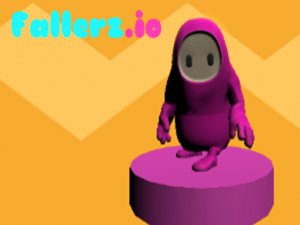
Fallerz.io fits players who want short, competitive bursts without downloads or account setup. The controls are simple enough for casual play, but the timing demands and multiplayer pressure give it a skill ceiling. Rounds are quick, making it easy to fit a few races into a break. The colorful 3D visuals keep the tone light even when you fall.






Editorial Notes