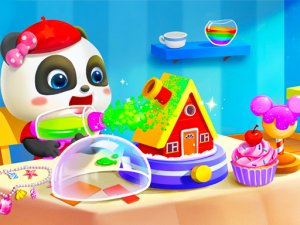
Play
Kids Coloring Book: Painting Game
Showtime

Kids Coloring Book: Painting Game

Creative Educational
Developer: Trophy Wanderer Games
Published: 2024-12-26
Updated: 2026-06-12

Coloring Book For Kids offers a solid selection of coloring pages with clear, kid-friendly controls. The variety of themes keeps children engaged, and the undo feature reduces frustration. It is a reliable choice for parents seeking a safe, educational app that encourages creativity without pressure. The offline capability is a bonus for travel.

Plays in your browser — no install.

About this game

Game Introduction

Coloring Book For Kids: Painting and Drawing Online Game is a digital coloring app designed for toddlers and young children. It offers a wide selection of coloring pages featuring animals, fruits, vehicles, and more. The core objective is to let kids color and draw freely in a safe, ad-free environment. This game stands out by promoting creativity and learning through play, helping children develop fine motor skills, color recognition, and hand-eye coordination without any timers or scores.

How to Play

Playing is simple and child-friendly. First, choose a coloring page from the available themes such as animals, fruits, or vehicles. Next, select a color from the palette displayed on the screen. Then, tap or drag a finger over the areas to fill them with color. The app includes undo and redo buttons to correct mistakes, and a save option to keep finished artwork. Large buttons and bright visuals make navigation easy for small hands. There are no timers or scores, allowing children to color at their own pace.

Game Features

Features include a wide variety of themes to keep children engaged, such as animals, fish, fruits, food, vehicles, Christmas themes, vegetables, toys, monsters, numbers, and alphabets. The app is completely free with no hidden purchases. It offers undo and redo functions for easy corrections. Artwork can be saved to the device. The interface is designed for toddlers with large touch targets and vibrant colors. No internet connection is required after download, ensuring safe offline play. The app promotes creativity, focus, and fine motor skill development.

Tips for Success

Encourage children to experiment with different color combinations to express their creativity. Let them take their time and enjoy the process without rushing. Use the undo feature to try new ideas or fix mistakes. Save completed artwork to create a personal gallery that builds confidence. For younger kids, start with simple pages like shapes or large objects to build familiarity. Regularly exploring new themes can keep the experience fresh and engaging, helping children learn about different subjects while having fun.


Compatibility

Play on Any Device | Chrome / Safari / Edge Recommended
FAQ
Is this app suitable for very young toddlers?
Yes, the app is designed for toddlers and young children. The interface uses large touch targets and bright visuals, making it easy for small hands to navigate. There are no complex rules or timers, so kids can color at their own pace in a stress-free environment.
Does the app contain any ads or in-app purchases?
No, the app is completely free with no hidden purchases. It is ad-free, providing a safe and distraction-free experience for children. Parents can trust it for independent play without worrying about unexpected costs or inappropriate advertisements.
Can my child play offline?
Yes, after downloading the app, no internet connection is required to use it. This ensures safe offline play, making it ideal for travel or areas without Wi-Fi. Children can enjoy coloring anytime without needing an active internet connection.
What types of coloring pages are available?
The app offers a wide variety of themes including animals, fish, fruits, food, vehicles, Christmas themes, vegetables, toys, monsters, numbers, and alphabets. This variety helps keep children engaged and supports learning about different subjects through coloring.
How can I save my child's artwork?
The app includes a save option that allows you to keep finished artwork directly on your device. This lets you create a personal gallery of your child's creations, which can be a great way to track their progress and build their confidence over time.
Does the app help with educational development?
Yes, the app promotes creativity and learning through play. It helps develop fine motor skills, color recognition, and hand-eye coordination. By offering themes like numbers and alphabets, it also supports early literacy and numeracy in a fun, relaxed way.
Advertisement

Other Similar Games