About this game
Game Introduction
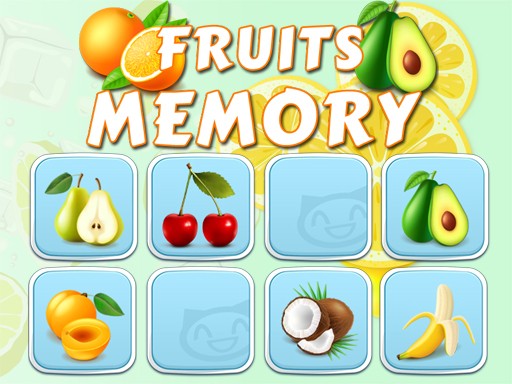
Fruits Memory is a card matching puzzle game designed to test and improve your memory. The game presents a grid of face-down cards, each hiding a colorful fruit item such as apples, bananas, or oranges. Your core objective is to flip two cards at a time, memorize the position of each fruit, and find all matching pairs to clear the board. What makes this game unique is its fruit-themed visuals and progressive difficulty, which keeps each round fresh and challenging. It is suitable for players of all ages who enjoy brain-training activities and want to sharpen their memory while having fun.
How to Play
Players typically start by clicking or tapping on a card to flip it and reveal the hidden fruit. After memorizing that fruit's location, you flip a second card to try to find its matching pair. If the two cards show the same fruit, they stay face up, and you earn a match. If they do not match, both cards flip back over, and you try again. The goal is to match all pairs on the board within a limited time. As you progress, the game may introduce more cards or new fruit symbols, making the challenge harder. The mechanics are simple to learn but require focus and quick thinking.
Game Features
Fruits Memory includes fun fruit-themed memory gameplay with increasing difficulty and time challenges. Levels may introduce new symbols to keep the game fresh. The interface is simple and easy to navigate, designed for quick play sessions or longer engagement. Players can track their progress and aim for higher scores. The game is built with HTML5 technology, meaning it works directly in a web browser without additional downloads. It is suitable for both casual and dedicated players looking to exercise their memory.
Tips for Success
To succeed in Fruits Memory, start by memorizing the positions of cards you flip, even if they don't match immediately. Try to create a mental map of the board as you play. Focus on one area at a time to avoid confusion. Practice regularly to improve your recall speed and accuracy. Since time is limited, avoid flipping cards randomly; instead, use each flip to gather information. Take short breaks between levels to keep your mind fresh. With patience and practice, you can achieve higher scores and complete more challenging boards.